

An AI analyst inside Word.
Chat with Emblem to draft investment memos backed by your deal documents — with every figure cited back to its source page, all in plain English. Free to install. Works on Word for the web, Windows, and Mac.
Requires an active Emblem account at portal.emblem.pe.
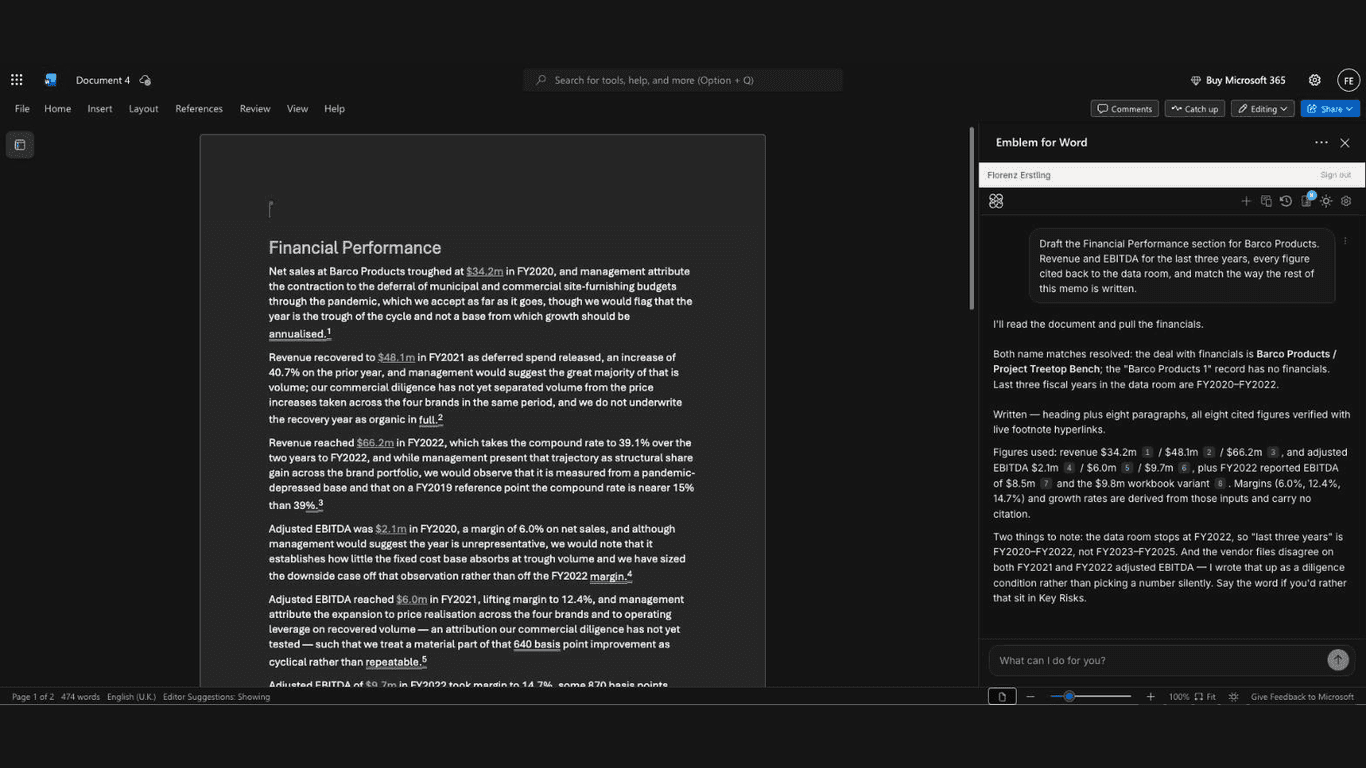
One prompt drafts the whole section — prose, figures, and footnotes. Every underlined number links back to the page of the source document it came from.
Built for the memo you have to ship Friday.
Six things Emblem for Word does better than assembling a memo from a data room, a spreadsheet, and last quarter's template.
Plain-English to memo
Tell Emblem what you want — "draft the financial overview section for this deal" — and it writes it into your document: headed sections, prose, and summary tables, in one pass.
Every figure cited to its source
Each number Emblem writes carries a citation that links back to the exact page of the document it came from. Click it, see the source. A memo your IC can actually audit.
Pulls from your deal documents
Connect your Emblem account and the add-in retrieves financials, deal terms, and operating metrics straight from the documents you uploaded to portal.emblem.pe.
Works with the document you have
Emblem reads your document and selection before every turn, so new sections match your structure — and it can rewrite or tighten a passage you highlight.
Built for finance workflows
Investment memos, IC papers, screening notes, LP letters — Emblem is purpose-built for the documents institutional investors actually write.
SOC 2 Type II. Your data stays yours.
Emblem for Word only sees the document you’re working in. We never train models on your data. SOC 2 Type II compliant.
What you can ask it.
Four kinds of prompts the add-in handles out of the box. The chat input takes anything else you'd describe to a junior analyst.
Draft a cited memo section
“Write a financial overview section for the Barco deal: revenue and EBITDA for the last three years, with every figure cited.”
Build a summary table
“Add a table summarizing the key deal metrics — revenue, EBITDA, margin — one row per year, with a header row.”
Answer from the data room
“What did management say about customer concentration? Add two sentences to this section, cited to the source.”
Tighten what you wrote
“Rewrite the selected paragraph to be half as long and lead with the conclusion.”
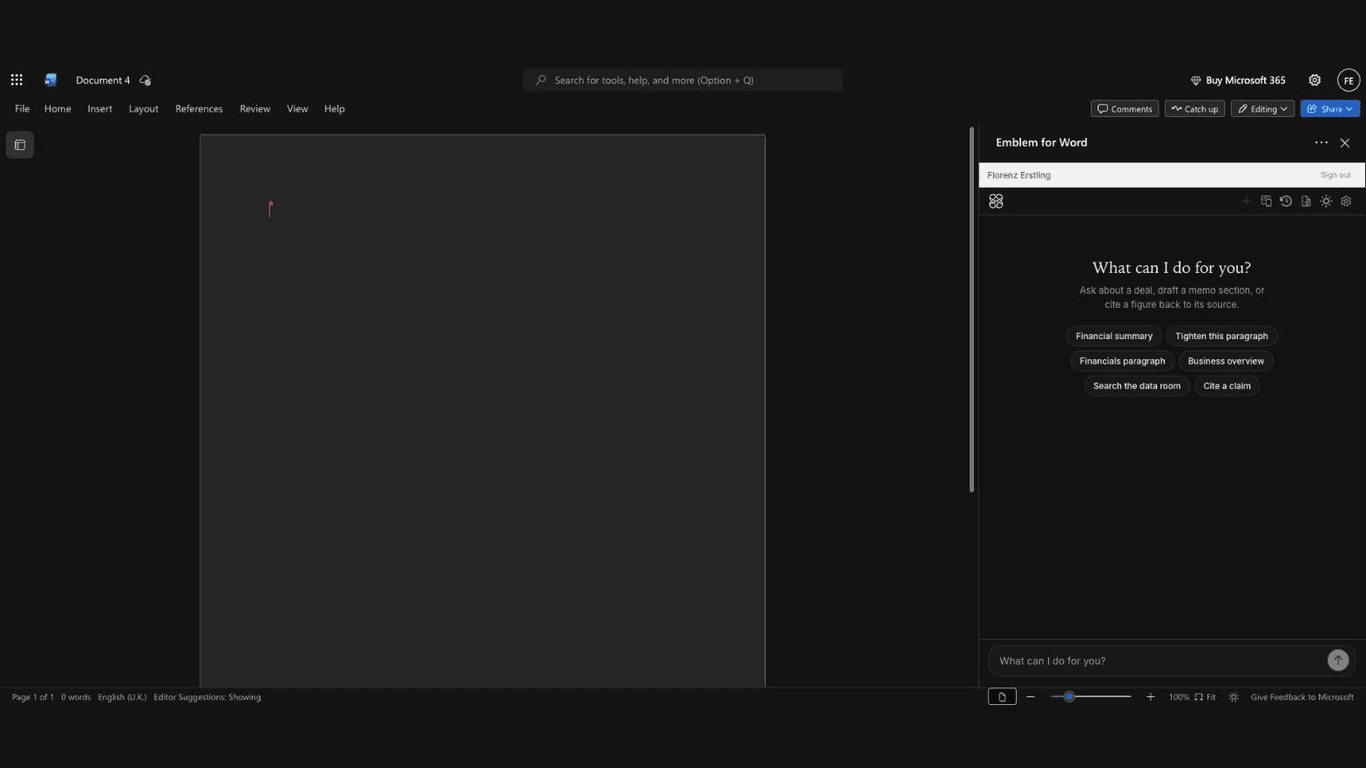
Not sure where to start? The task pane offers one-click starting points — financial summary, business overview, cite a claim, and more.
How it works.
Install
In Word, go to Home → Add-ins → More Settings → Upload My Add-in and upload the manifest from word.emblem.pe/manifest.xml.
Sign in
Click "Show Emblem" on the Home tab, then sign in with your Emblem account. Sessions persist for 30 days.
Chat
Type what you want. Emblem reads your document, talks to your deal docs, and writes cited sections back into Word.
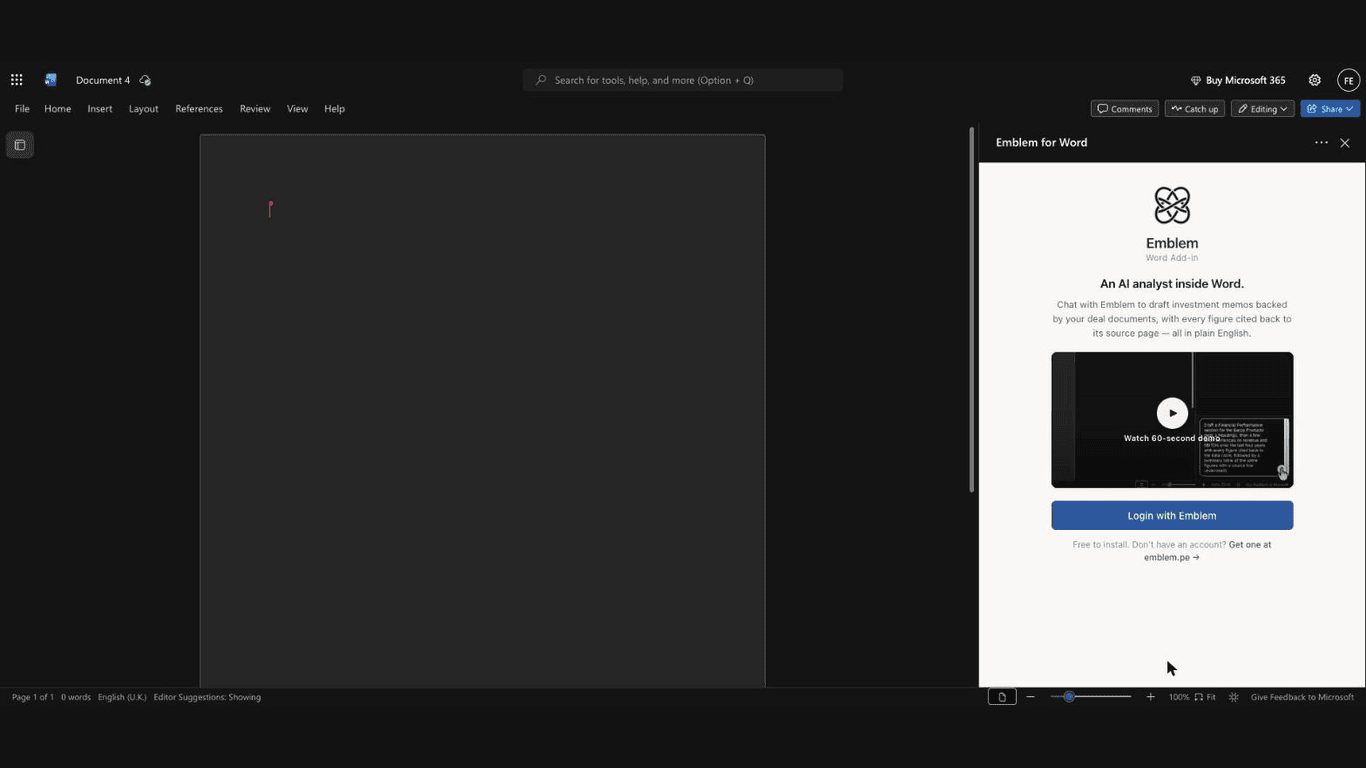
First open: watch the 60-second demo, sign in once, and your session persists for 30 days.
Designed for institutional investors.
Emblem is purpose-built for the document workflows investment teams live in — investment memos, IC papers, screening notes. If your week ends with a memo due, Emblem for Word was built for you.
Get started with Emblem- Private equity & growth equity
- Investment banking
- Family offices & fund-of-funds
- Asset management & hedge funds
Your data stays yours.
Emblem for Word only sees the document you're working in — nothing else on your machine. We never train any AI model on your data. SOC 2 Type II compliant, enterprise-grade encryption in transit and at rest.
Quick questions.
Which versions of Word does it work in?+
Word on the web, Word for Windows (Microsoft 365), and Word for Mac. Word on the web is the best-supported environment today.
How do citations work?+
When Emblem writes a figure pulled from your deal documents, it attaches a numbered citation linking to the exact page of the source document in your Emblem account. Anyone reviewing the memo can click through and verify the number.
Is it free?+
The add-in itself is free to install. Using it requires an active Emblem account, which is a paid B2B subscription. Get started at /get-started.
How do I sign in?+
Click "Show Emblem" on the Home tab in Word. An Office dialog opens to portal.emblem.pe. Sign in there once and your session persists for 30 days.
Does it work without an internet connection?+
No — the AI runs on our servers, and document retrieval queries your Emblem account. The add-in needs an active internet connection.
Where do I get help?+
See the FAQ at /support, or email luke@emblem.pe.
Bring an AI analyst into your next memo.
While the Marketplace listing is in review, sideload with the manifest at word.emblem.pe/manifest.xml.